
Disclosure: This post contains affiliate links . If you click a link and make a purchase I may earn a commission at no extra cost to you. I only recommend tools that are genuinely suited to the work described.
A few years ago, creating an animated series required a professional studio, a team of artists, voice actors, composers, and a budget that started in the tens of thousands of dollars. Today, a creator sitting anywhere in Africa Accra, Lagos, Nairobi, Johannesburg can build a fully animated series using a laptop and a collection of free AI tools.
This is not a dream. It is happening right now.
The six tools in this guide LM Arena, Qwen, Wan AI, ElevenLabs, Suno AI, and CapCut form a complete, zero-cost animation production pipeline. Together they cover every stage: character design, scene generation, image-to-video animation, text-to-video, voiceover, music, and final assembly. By the end of this guide, you will know how to take an animation idea from your head to a finished episode ready for YouTube or TikTok.
The Big Picture: Your AI Animation Pipeline
Think of these tools as departments in your studio:
| Stage | Tool | What It Does |
|---|---|---|
| Story & Script | LM Arena (text mode) | Write scripts, dialogue, episode outlines |
| Character & Scene Art | LM Arena (image mode) | Generate stunning animation-quality images |
| Text-to-Video | Qwen (qwen.ai) | Turn text prompts directly into video clips — free, no watermark |
| Image-to-Video | Wan AI (wan.video) | Animate your still images into moving scenes |
| Voiceover | ElevenLabs | AI voice acting for every character |
| Music & Score | Suno AI | Generate original soundtracks |
| Final Assembly | CapCut | Edit everything into a finished episode |
Let us go through each one in detail, then tie them all together into a practical production workflow.
Understanding Your Tools
Tool 1: LM Arena (arena.ai) Your AI Lab for Prompts and Story
What it is: LM Arena (now officially called Arena, at arena.ai) is a free platform originally built by researchers at UC Berkeley that lets you compare the world’s best AI language models and image generators head-to-head. It is completely free to use and requires no credit card.
What it does for animators: LM Arena gives you access to the most powerful AI writing and image generation models in the world including GPT-4o, Gemini, Claude, and leading image generators all for free, in one place. For animation, this makes it invaluable at two stages.
First, it is the best tool for developing your story, characters, and episode scripts. You can use the text arena to test your story ideas, get character backstories written, generate episode plots, and refine your series bible. You can run the same prompt through two different AI models simultaneously and pick the better response meaning you always get the best output available without paying for multiple subscriptions.
Second, its Image Arena lets you compare AI image generators side by side using the same prompt. This is how you find which model produces the best results for your specific animation style before committing to it.
Most people think of LM Arena as a tool for comparing AI chatbots. That is only half the story. LM Arena’s Image Arena is one of the most powerful free image generation tools on the planet because it gives you direct access to the world’s top image models, including GPT Image 2, Gemini Image, Flux 2 Pro, and Nano Banana, all in one place at zero cost.
For animation, this is extraordinary. You are not using a cut-down free version of an image tool. You are accessing the same models that professionals pay premium API prices to use — and generating your character art, backgrounds, and scene illustrations with them for free.
How LM Arena Image Generation works:
When you go to arena.ai and click the image icon in the prompt bar, you enter Battle Mode — your prompt is sent to two anonymous AI image models simultaneously, and both produce an image. You pick the better one, the models are revealed, and you learn which engine best suits your style. Over time this teaches you exactly which model to use for which type of scene.
But here is the key point many creators miss: you are generating real, high-quality images you can use directly. Both images produced in every battle are yours to download. You are not just testing — you are producing.
You can also switch to Direct Mode to use your preferred model alone once you have identified it. For African animated series with bold, vibrant, Afrofuturist or traditional-inspired aesthetics, run a few battles first to find which model handles your style best, then use it consistently.
How to use LM Arena for animation asset creation:
- Go to arena.ai and click the camera/image icon in the prompt bar
- Write a detailed scene or character description (see prompting tips below)
- Two top AI image models generate your image simultaneously — download both
- Vote on the better result to contribute to the leaderboard
- Once you identify your preferred model, use Direct Mode for faster production
- For writing (scripts, character bios, episode outlines), use the Chat mode the same way — Battle Mode for text too
Prompting for animation-quality character art:
“A teenage West African boy, athletic build, natural hair, wearing a gold-trimmed dark bodysuit with Adinkra symbol embroidery. He holds a glowing staff carved from dark wood. Expression: determined. Full body shot, plain white background. Bold 2D animated series art style, vibrant colours, clean outlines. High detail.”
Prompting for a dramatic background:
“Aerial view of a futuristic Accra at night — towering skyscrapers with kente-patterned solar cladding, glowing street markets below, flying vehicles in the distance, bioluminescent trees lining the avenues. Wide 16:9 cinematic composition, 2D animated series style, deep blues and warm gold lighting.”
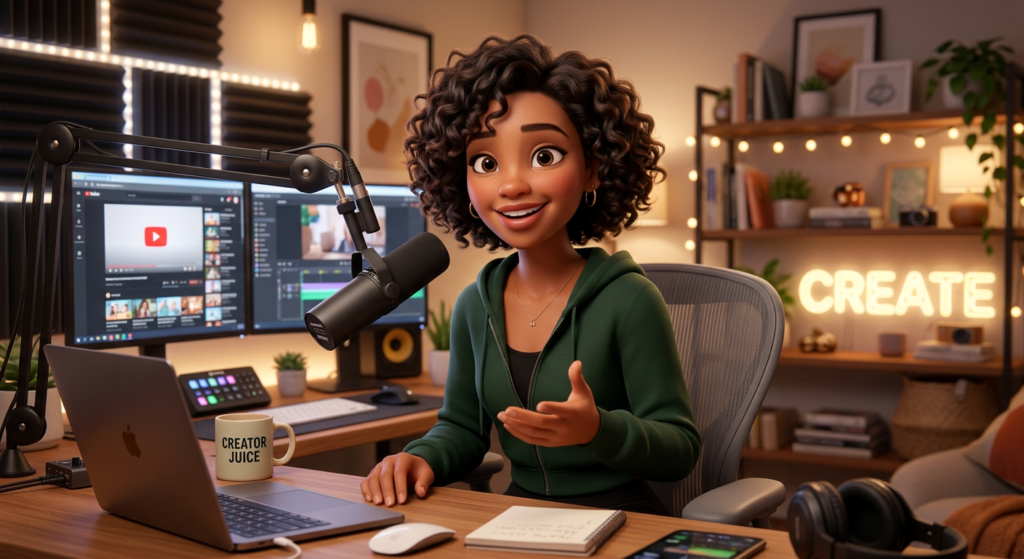
Why this matters: LM Arena regularly hosts the newest and most powerful image models in the world before they are available anywhere else including models that top every benchmark. Getting your animation assets from these models means quality that matches or exceeds what professional studios are producing with paid tools. Image made with Lm Arena below.
Tool 2: Qwen Your Free Text to Video and Image Generator
Website: qwen.ai (Qwen Studio / Qwen Chat) Cost: Free unlimited video generation, no watermark
Qwen is Alibaba’s AI ecosystem, and it is genuinely one of the most powerful free creative tools available to anyone. Most creators know it only as an image generator but Qwen also generates video directly from text prompts, for free, with no watermark, making it unique among serious AI tools.
This means Qwen serves your animation pipeline in two critical ways:
As an image generator: Qwen Image (accessed through qwen.ai) produces sharp, detailed images with exceptional ability to follow long, complex prompts. It excels at culturally specific scenes, supports multiple artistic styles (anime, 2D cartoon, illustrated, photorealistic), and handles text rendering inside images better than most models perfect for title cards, episode title screens, and signage in your animated world.
As a video generator: Inside Qwen Chat at qwen.ai, you can generate short video clips directly from text. Select the video generation option, write your scene description, choose your aspect ratio, and Qwen produces a clip — free, unlimited, no watermark. Videos run up to 5 seconds at 720p resolution, which is exactly the length you need for individual animation shots.
How to generate images in Qwen:
- Go to qwen.ai and open Qwen Studio
- Select Image Generation
- Write your detailed prompt Qwen handles long, descriptive prompts especially well
- Choose your aspect ratio: 16:9 for widescreen scenes, 9:16 for vertical/close-up shots, 1:1 for character reference sheets
- Generate, review, and download
How to generate video in Qwen:
- Go to qwen.ai and open Qwen Chat
- Click More below the text input, then select Video Generation
- Choose your resolution and aspect ratio (16:9 for landscape animation shots)
- Type your scene description — be specific about movement, camera, and atmosphere
- Optionally upload a reference image to guide the visual style
- Hit generate — your clip is ready in seconds to minutes
- Download watermark-free
Example video prompt for an animation scene:
“A young warrior walks across a rooftop at sunset in a futuristic African city. Camera slowly tracks alongside her. Her cape ripples in the wind. Warm golden light. Animated series style, bold colours.”
How to use Qwen for storyboarding: Before you animate anything, use Qwen’s image generation to rapidly produce rough visual concepts for each scene in your episode. Think of it as a digital sketchpad — generate 10–15 scenes quickly, arrange them in sequence, and you have a visual storyboard that tells you exactly what to animate in detail with LM Arena and Wan AI.
Qwen’s special strength — text in images: If you need a title card, episode number screen, or a sign visible in a scene, Qwen renders readable text inside images more reliably than most AI image tools. Use this for your episode opening cards, location labels, and any in-world signage.
Tool 3: Wan AI Your Image to Video Animation Engine
Website: wan.video Cost: 30 free credits on signup + daily check-in credits
If Qwen and LM Arena are where you build your visual world, Wan AI is where that world starts moving. Wan AI specialises in image to video you take the best scene images you generated in LM Arena or Qwen and breathe motion into them.
This is the key difference between Qwen’s text to video and Wan’s image to video:
- Qwen text to video = fastest route from idea to clip; great for rough scenes and drafts
- Wan image to video = maximum visual quality and character consistency; start from your carefully crafted character image, animate outward
For a polished, consistent animated series, you will use both. Qwen for speed and drafting, Wan for your hero shots and key scenes where the character absolutely must look right.
Wan 2.2 supports over 100 visual styles including anime and 2D cartoon, generates up to 720p resolution, and produces smooth cinematic motion. It also offers Wan 2.2 Animate (via Higgsfield.ai) which lets you upload a reference video of a movement and have Wan map that exact motion onto your character — walking, fighting, dancing — with natural body physics.
How to use Wan AI for your animation:
- Go to wan.video and create a free account
- Select Image to Video
- Upload your scene image from LM Arena or Qwen
- Write a motion prompt describing specifically what should move and how
- Set aspect ratio (16:9 for widescreen episodes) and duration (5 seconds is ideal for clean results)
- Generate — your animated clip downloads watermark-free
Motion prompt examples:
For a character entrance:
“Character steps forward from shadow into light, looks up with determination, hair catching the wind, subtle camera push-in, cinematic”
For an environment establishing shot:
“Camera slowly pans right across the futuristic city skyline, clouds drifting, lights blinking on in buildings, ambient atmospheric movement”
For an action moment:
“Character leaps from rooftop, arms outstretched, city below in motion blur, landing hard on the opposite building, dust rising”
Tips for consistency across scenes:
- Always start Wan image to video from the same character anchor image — never generate a new character pose from scratch if you can avoid it
- Keep backgrounds simple in scenes where the character is the focus
- Generate 2–3 variations of important shots and select the best
- video made wan ai below
Tool 4: ElevenLabs Your Free Voice Cast
Website: elevenlabs.io Cost: Free tier — 10,000 characters per month
Silence kills animation. Voice brings characters to life instantly. ElevenLabs produces AI voices so natural that viewers genuinely believe real actors are speaking — and the free tier gives you enough monthly credits to voice a complete short episode.
How to use ElevenLabs:
- Go to elevenlabs.io and create a free account
- Navigate to Speech Synthesis and browse the Voice Library
- Select a distinct voice for each character (consider age, personality, energy, accent)
- Paste dialogue into the text field keep inputs to one scene or speech at a time for editing flexibility
- Adjust Stability (lower = more emotional expression) and Clarity sliders
- Generate and download as MP3
- Repeat for every character and scene
Tips for better voice performances:
- Assign a different voice to every character so audiences can tell them apart without seeing the screen
- For emotional moments, lower the Stability slider significantly — the AI becomes more expressive
- Generate 2–3 takes of key lines and use the best performance
- Break long speeches into natural paragraph-length chunks before generating
Tool 5: Suno AI Your Free Original Soundtrack Composer
Website: suno.com Cost: Free — 50 credits per day
Music carries up to half the emotional weight of any animated scene. The right score transforms a visually average clip into something genuinely moving. Suno generates completely original music from text descriptions meaning no copyright issues when you post on YouTube, TikTok, or monetise your series.
How to use Suno for your animation:
- Go to suno.com and sign up free
- Click Create and describe your music in natural language
- Always add “instrumental, no vocals” unless you want singing
- Generate 2–4 versions and download the best
Prompts for an African animated series:
Theme song:
“Epic orchestral theme with West African percussion, talking drums, kora strings, soaring choir, triumphant and adventurous, anime opening energy, instrumental”
Tense action scene:
“Tense cinematic underscore, low bass drones, traditional African kora plucked quickly, building percussion, suspense and urgency, no vocals, instrumental”
Emotional quiet moment:
“Gentle piano and African flute, slow and warm, bittersweet, suitable for a scene of memory or longing, cinematic score, instrumental”
Tool 6: CapCut Your Free Editing Studio
Website: capcut.com Cost: Free — exports at 1080p with no watermark
CapCut is where all your pieces come together into an episode. It handles the timeline editing, audio layering, captions, and export — and it is designed so that beginners can produce polished results within hours of first using it.
How to assemble your episode:
- Download CapCut (desktop version for longer edits)
- Create a new project at 16:9 (YouTube) or 9:16 (TikTok/Reels)
- Import all video clips from Wan AI and Qwen in order
- Arrange clips on the timeline following your script
- Import ElevenLabs voiceover files and align them to the matching scenes
- Import your Suno music track; set its volume to 20–30% so it sits under the dialogue
- Add transitions between scenes — simple cuts or soft fades work best
- Use Auto Captions to generate subtitles automatically
- Add your title card at the start and credits at the end
- Export at 1080p
The Complete Production Workflow
Here is how the full pipeline comes together for one episode:
Pre-Production (1–2 days)
- Use LM Arena text/chat mode to develop your story, write the episode script, and build your character profiles
- Break the script into a shot list — a list of every scene you need to generate
- Use Qwen image mode to quickly generate rough scene concepts as a visual storyboard
Asset Creation (2–3 days)
- Use LM Arena Image Arena to generate your final, high-quality character art and key background images — run battles to identify the best model for your style
- Use Qwen Image for additional scenes, location cards, title screens, and any image with text rendered inside it
- Save and label all assets clearly (ep01_scene03_rooftop_night.png)
Animation (2–3 days)
- Use Qwen Video (text to video) for speed rough action scenes, establishing shots, transitions
- Use Wan AI (image to video) for your hero shots key character moments where consistency and quality matter most
- Generate voiceover for every scene in ElevenLabs
- Create your theme, action score, and emotional underscore in Suno AI
Post-Production (1–2 days)
- Assemble everything in CapCut
- Layer audio, sync voiceover, add music, apply transitions, generate captions
- Export at 1080p and publish
Your Practical Prompt-Writing Guide
Your prompts are your directing language. The more specific they are, the better your output. Use this framework for every image and video prompt:
[Subject] + [Action/Pose] + [Clothing/Details] + [Setting/Background] + [Lighting] + [Camera Angle] + [Art Style]
Example:
“A young Ghanaian woman warrior [subject] standing with arms crossed, looking over her shoulder [pose], wearing a gold-trimmed dark bodysuit with Adinkra symbols [clothing], on a futuristic rooftop at night, city lights far below [setting], cool blue moonlight and warm city glow [lighting], medium shot from slightly below [camera], bold 2D animated series style, vibrant colours, clean outlines [art style]”
Key Tips for African Creators
Override the default aesthetic. AI tools were trained on global data and default to Western or East Asian visual styles unless you direct them otherwise. Be explicit: name specific architectural styles, traditional textiles, cultural symbols, and African geography in every prompt. The tools respond you just have to ask precisely.
Build a character anchor system. Your single most important production asset is one perfect reference image per character, generated in LM Arena with your full character prompt. Every Wan image to video animation you generate for that character starts from this anchor image. This is how you maintain character consistency across an entire series.
Use Qwen for speed, LM Arena for quality. In practice: Qwen for fast drafts and storyboarding; LM Arena for final hero images that anchor each scene; Wan for bringing those hero images to life with motion.
Short episodes compound faster. Start with 3–5 minute episodes. They are faster to produce, shareable as standalone content, and each one makes you 30% faster on the next. A ten-episode run of 4-minute episodes beats a single 40-minute pilot in every meaningful way — for building an audience, for improving your skills, and for generating content that spreads.
Syllaby
Use syllaby to automate the whole process.
Pro Tips for African Creators Building Original Series
Own your cultural visual language. The biggest competitive advantage you have as an African creator is authenticity. Describe your world specifically Accra architecture, Nairobi streets, savanna landscapes at magic hour, traditional textiles, spiritual symbols. AI tools have been trained on global data but tend to default to Western or East Asian aesthetics unless you override them explicitly in your prompts. Be deliberate and specific. The more specific your prompt, the more authentic your output.
Build a prompt library. Every time you write a prompt that produces a great result, save it. Over time you will build a library of reliable prompts for characters, locations, and moods specific to your series. This speeds up production massively from episode two onwards.
Batch-generate assets. Do not generate one image at a time. When you sit down for a production session, generate all backgrounds for three episodes at once. Generate all character poses for two episodes in a single session. Batching dramatically reduces the back-and-forth between tools.
Embrace short-form first. Start with 3–5 minute episodes rather than full 22-minute episodes. Short episodes are faster to produce, easier for audiences to share, and allow you to refine your workflow before committing to long form content.
Character consistency is everything. The biggest risk in AI animation is character drift your protagonist looking different in every scene. Combat this by: always using your master character prompt, always using the same image model, always starting Wan animations from your anchor character image rather than generating new poses from scratch.
Free Tool Reference Card
| Tool | Website | Primary Use | Free Tier |
|---|---|---|---|
| LM Arena | arena.ai | Image generation + story writing | Fully free, unlimited |
| Qwen | qwen.ai | Image generation + text-to-video | Unlimited free, no watermark |
| Wan AI | wan.video | Image-to-video animation | 30 credits + daily top-up |
| ElevenLabs | elevenlabs.io | Character voiceover | 10,000 characters/month |
| Suno AI | suno.com | Original music and score | 50 credits/day |
| CapCut | capcut.com | Video editing and assembly | Free, 1080p, no watermark |
Final Thoughts: The Studio is Wherever You Are
The story you want to tell does not need a studio in Los Angeles or a budget from a streaming service to exist. With these six tools, your studio is your laptop. Your voice cast is a free AI. Your composer is a text prompt. Your animator is a model trained on millions of hours of human creativity.
The only thing that cannot be automated is your vision the story you want to tell, the world you want to build, the characters only you could create. That is still entirely yours.
Start with one scene. Then one short. Then one episode. The pipeline gets faster every time you use it, and the skills you build compound with every production. Your animated series whatever it is, wherever it is set, whoever it is about is closer to existing than it has ever been.
Go build it.

I am Latif Saeed Okwan a digital entrepreneur from Accra, Ghana helping Africans build real online income through affiliate marketing, AI tools, and digital business. Every method on TheDiaHub.com has been personally researched with the African reality in mind -no hype.