

If you are using Pinterest to drive traffic to your blog, affiliate articles, digital products, or online store and you are still posting pins manually you are leaving both time and money on the table.
Pinterest is one of the most powerful free traffic channels for content creators and online businesses in 2026. Unlike Instagram or TikTok where your posts disappear within 24–48 hours, a well-optimised Pinterest pin can drive traffic for months or even years after you post it. But Pinterest rewards consistency posting regularly, at the right times, to the right boards. Doing that manually every single day is unsustainable.
That is where Pinterest scheduling tools come in. And in 2026, the two tools that dominate that conversation are Tailwind and Buffer.
Both are legitimate, widely used, and genuinely useful. But they serve different needs, have very different approaches to Pinterest specifically, and importantly have different price points that matter significantly if you are building a digital income operation from Africa on a budget.
This guide gives you everything: a complete breakdown of both tools, a feature by feature comparison specifically for Pinterest, honest pricing analysis, a full beginner’s guide to scheduling Pinterest pins effectively, and a clear final recommendation based on your specific situation.
What Is Tailwind?
Tailwind (tailwindapp.com) is a social media scheduling tool that was built specifically for Pinterest and it shows in every feature it offers. Founded in 2017 and now headquartered in Toronto, Tailwind started as a dedicated Pinterest scheduler and has since expanded to support Instagram and Facebook as well. But Pinterest remains its heartland, and every feature it has built reflects a deep understanding of how Pinterest’s algorithm works and what drives Pinterest traffic.
Tailwind is not just a scheduler. It is a full Pinterest marketing system with smart timing, content recycling, design tools, analytics, and community features that no general social media tool can match for Pinterest specifically.
Tailwind’s Pinterest features are unmatched Pinterest mastery, smart scheduling, and content recycling make it the clear winner for Pinterest-focused work.
What Is Buffer?
Buffer (buffer.com) is one of the oldest and most trusted social media management platforms in the world, founded in San Francisco in 2010. Buffer is built as a general social media scheduler it handles Twitter/X, LinkedIn, Instagram, Facebook, TikTok, Pinterest, YouTube, Mastodon, Bluesky, and Google Business Profile all under one roof.
Buffer’s strength is breadth and simplicity. If you manage multiple social platforms and want one clean dashboard to schedule across all of them, Buffer is hard to beat. Buffer covers more platforms and includes engagement tools it is recommended for small businesses and online shops looking for simplicity.
But for Pinterest specifically, Buffer is a competent scheduler. It is not a Pinterest specialist.
Pricing: What Each Tool Actually Costs in 2026
This is where the conversation gets interesting for budget conscious creators and African entrepreneurs managing their costs carefully.
Tailwind Pricing 2026
Tailwind pricing comes in Free, Pro, Advanced, and Max plans — each fitting different goals with access to specific features.
| Plan | Price | Posts/month | Accounts |
|---|---|---|---|
| Free Forever | $0 | 5 posts per month | 1 Pinterest, 1 Instagram, 1 Facebook |
| Pro | $14.99/month | 100 posts per month | 1 per platform |
| Advanced | $24.99/month | Unlimited | 2 per platform |
| Max | $39.99/month | Unlimited | 3 per platform + 5 users |
The honest assessment of Tailwind’s pricing: The cost can feel high if you only need the basics and Tailwind’s Pro plan only allows 100 posts per month, which fills up quickly for active Pinterest marketers. 100 posts per month works out to roughly 3 pins per day fine for casual users, limiting for serious Pinterest growth strategies.
Buffer Pricing 2026
Buffer price starts at $6 per month per channel.
| Plan | Price | Posts per channel | Channels |
|---|---|---|---|
| Free Forever | $0 | 10 scheduled posts | 3 channels |
| Essentials | $6/month per channel | 2,000 posts per channel | Unlimited |
| Team | $12/month per channel | 2,000 posts per channel | Unlimited + team collaboration |
| Agency | $120/month | 2,000 posts per channel | 10 channels + unlimited users |
The honest assessment of Buffer’s pricing: Buffer’s per-channel model is genuinely flexible. If you only use Pinterest and Instagram, you pay $12/month for both channels significantly less than Tailwind’s Pro plan. Buffer’s per-channel pricing starts at $6/month and can be cheaper than Tailwind Pro if you only post to two or three platforms.
The Price Comparison That Actually Matters
Let us be direct about real costs for a typical creator or small business:
| Scenario | Tailwind Cost | Buffer Cost | Winner |
|---|---|---|---|
| Pinterest only | $14.99/month (100 pins) | $6/month (2,000 pins) | Buffer (cheaper + more pins) |
| Pinterest + Instagram | $14.99/month | $12/month | Buffer (slightly cheaper) |
| Pinterest + Instagram + Facebook | $14.99/month | $18/month | Tailwind (cheaper) |
| Pinterest + 5 other platforms | Not possible | $36/month | Buffer (only option) |
| Pinterest at full scale (unlimited) | $24.99/month | $6/month | Buffer (dramatically cheaper) |
The bottom line on price: Buffer’s Essentials plan offers a more generous allowance of 2,000 posts per channel per month compared to Tailwind Pro’s 100 posts per month at a similar price point. For sheer volume and value per dollar, Buffer wins on pricing for most use cases.
However and this is the critical nuance price is not the whole story for Pinterest. What Tailwind does with those posts is different from what Buffer does.
The Pinterest Feature Showdown: Where They Are Truly Different
This is the section that decides everything. Both tools schedule pins. But what they do around the scheduling is fundamentally different.
SmartSchedule — Tailwind’s Most Powerful Pinterest Feature
Tailwind’s SmartSchedule analyses your specific Pinterest audience’s activity patterns and automatically identifies the optimal times to post for maximum engagement. It does not use generic “best time to post” data it learns from your account specifically and continuously updates its recommendations.
SmartSchedule is an algorithm friendly posting optimiser that actually works the analytics help identify which pins perform well, and SmartSchedule optimises for engagement, which Pinterest’s algorithm favours.
Buffer has a similar “optimal timing” feature, but it is not specifically trained on Pinterest audience behaviour the way Tailwind’s is. For Pinterest, timing matters enormously because the algorithm amplifies recent pins that get early engagement. Getting your pins in front of your audience at exactly the right moment is a genuine competitive advantage.
Winner: Tailwind
SmartLoop — Automatic Content Recycling
SmartLoop is one of Tailwind’s most underrated features. It lets you add evergreen pins your best-performing content to an automatic recycling loop. Tailwind redistributes these pins on a schedule you define, keeping your best content circulating continuously without you lifting a finger.
For affiliate articles, digital product pages, blog posts, and any evergreen content, this is transformative. A blog post written six months ago continues generating Pinterest traffic indefinitely because SmartLoop keeps sending your pin out to fresh audiences on rotation.
Buffer does not have an equivalent content recycling feature for Pinterest. Once a post is scheduled and sent, it is done.
Winner: Tailwind (Buffer has no equivalent)
Tailwind Communities (Formerly Tribes)
Tailwind Communities are groups of creators in the same niche who share each other’s pins. When you add a pin to a Community, other members can reshare it to their audiences — multiplying your reach beyond your own followers at no additional cost.
One food blogger saw her reach increase by 300% after joining active cooking communities — it is like networking, but for pins.
This is a genuinely unique feature that no other scheduling tool offers. For content creators in any niche — digital income, African entrepreneurship, food, fashion, travel, lifestyle — being part of an active Tailwind Community can be the single biggest multiplier of organic Pinterest reach.
Buffer has no equivalent community feature.
Winner: Tailwind (Buffer has no equivalent)
Pin Design Tool — Tailwind Create
Tailwind Create is a built-in design tool that generates multiple Pinterest pin designs from a single URL or image automatically. You input your blog post link or product URL, and Tailwind generates dozens of pin variations using your brand colours and fonts — ready to schedule in seconds.
The SmartPin feature changed the workflow completely — instead of designing five variations in Canva, Tailwind generates design alternatives automatically, saving hours every week for someone managing Pinterest accounts driving traffic to blogs or e-commerce sites.
Buffer has no built-in pin design tool. You design everything externally in Canva or another tool and then import it.
Winner: Tailwind (Buffer has no equivalent)
Bulk Scheduling
Both tools offer bulk scheduling, but Tailwind’s implementation is significantly more Pinterest-optimised. In Tailwind you can add hundreds of pins to your queue in one session, assign them to multiple boards simultaneously using Board Lists, and let SmartSchedule distribute them over days or weeks automatically.
Tailwind supports bulk operations that save time create board lists to pin content to multiple relevant boards simultaneously.
Buffer’s bulk scheduling works well but does not have Pinterest-specific features like Board Lists, which let you add one pin to a curated selection of relevant boards in a single click.
Winner: Tailwind
Pinterest Analytics
Tailwind’s analytics go significantly deeper than Buffer’s for Pinterest. The Pin Inspector feature shows you exactly which pins are driving website traffic and real engagement — not just vanity metrics.
Unlike Pinterest’s native analytics which are basic and unhelpful, Tailwind shows you which pins drive actual website traffic and engagement the Pin Inspector identifies your top-performing pins and suggests optimisation strategies. Finally, data that actually helps improve performance.
Buffer provides solid general analytics across all platforms, but does not offer Pinterest-specific depth like Tailwind’s Pin Inspector.
Winner: Tailwind
Multi-Platform Management
Buffer wins here completely. Buffer lets you connect any combination of channels Twitter/X, LinkedIn, TikTok, Instagram, Facebook, YouTube, Pinterest, Mastodon, Bluesky with no restrictions on platform combination. Tailwind only supports Pinterest, Instagram, and Facebook.
If you manage content across five or more social media platforms, Buffer is the only practical choice between the two.
Winner: Buffer
Free Plan Generosity
Tailwind’s free plan lets users schedule just 20 posts total, while Buffer’s free plan allows 30 posts and lets you connect any combination of channels you like. Buffer’s free plan is more generous and more flexible.
Winner: Buffer
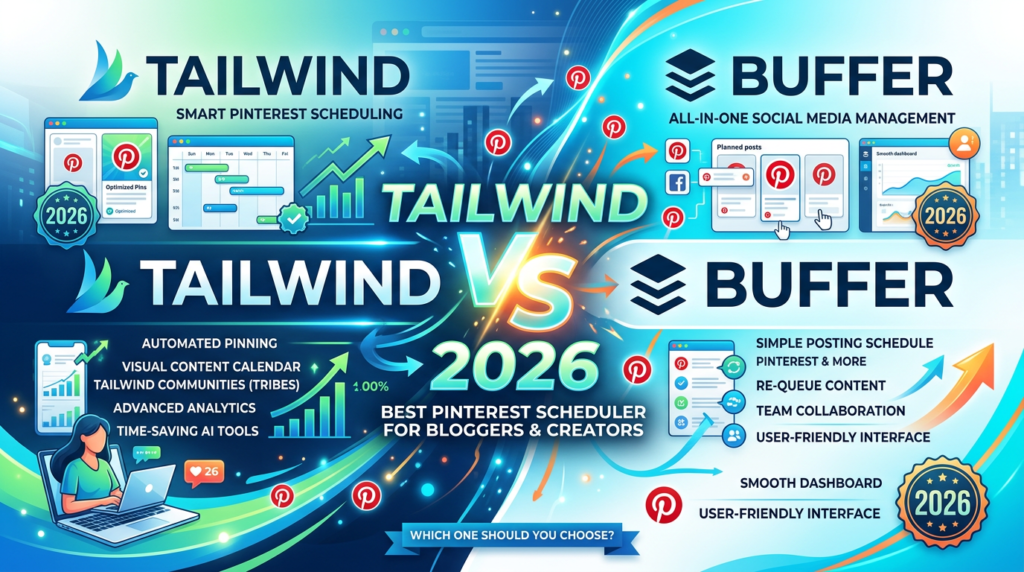
Head to Head Comparison Table: Pinterest Specific
| Feature | Tailwind | Buffer |
|---|---|---|
| Pinterest scheduling | Advanced | Basic |
| SmartSchedule (optimal timing AI) | Pinterest-specific | Generic |
| SmartLoop (content recycling) | Yes | No |
| Tailwind Communities | Yes | No |
| Built-in pin design tool | Tailwind Create | No |
| Board Lists (bulk board assignment) | Yes | No |
| Pin Inspector analytics | Deep Pinterest analytics | Basic |
| Bulk scheduling | Pinterest-optimised | General |
| Free plan post limit | 20 posts total | 30 posts |
| Multi-platform support | Pinterest, Instagram, Facebook only | 11+ platforms |
| Starting price | $14.99/month | $6/month per channel |
| Posts on entry paid plan | 100/month | 2,000/channel/month |
| Team collaboration | Max plan only ($39.99) | Team plan ($12/channel) |
Complete Beginner’s Guide: How to Schedule Pinterest Pins Effectively
Whether you choose Tailwind or Buffer, the principles of effective Pinterest scheduling are the same. Here is everything a beginner needs to know from setting up your strategy to getting consistent results.
Understanding Pinterest as a Search Engine First
Before you schedule a single pin, understand what Pinterest actually is. Most people treat it like Instagram a social platform where followers see your posts in a feed. That is wrong. Pinterest is a visual search engine, more like Google than Instagram.
When someone opens Pinterest, they type a search query — “African print phone cases,” “how to make money online in Ghana,” “healthy African recipes” — and Pinterest serves them results based on keyword relevance, pin quality, engagement signals, and recency. Your pin does not reach people because they follow you. Your pin reaches people because it answers what they are searching for.
This means two things for your scheduling strategy:
- Every pin must be keyword-optimised — your pin title, description, and board name all need to contain the exact words your target reader is searching
- Consistency matters more than volume — posting 3–5 pins per day consistently over months builds algorithmic trust more effectively than posting 50 pins in one day and disappearing
Setting Up Your Pinterest Business Account
Before scheduling anything, make sure your foundation is correct:
- Switch to a Pinterest Business Account (free at pinterest.com/business) — this gives you access to analytics, rich pins, and better distribution
- Complete your profile fully — professional photo or logo, keyword-rich bio (include what you do and who you help), and your website URL
- Claim your website — verify your domain in your Pinterest settings to enable rich pins and improve your content’s authority
- Create boards strategically — each board should represent a specific topic with a keyword-rich name and description. “Digital Income Africa,” “African Food Recipes,” “Make Money Online” are better board names than “My Pins” or “Favourites”
The Anatomy of a High-Performing Pinterest Pin
Every pin you schedule should be built to these specifications:
Image size: 1000 x 1500 pixels (2:3 ratio) — this is Pinterest’s preferred format. Vertical pins take up more screen space in the feed and get significantly more clicks than square or landscape images.
Image quality: High contrast, bold colours, and minimal clutter perform best. Your pin needs to stop a scroll. Text overlays should be large enough to read on a phone screen.
Pin title: Include your primary keyword naturally. Keep it under 100 characters. Think search query, not headline. “How to Make Money Online in Ghana 2026” outperforms “My Income Guide.”
Pin description: Write 200–500 words (yes, that long) using your primary and secondary keywords naturally. Describe exactly what the reader will find when they click. Pinterest reads these descriptions to understand and rank your content.
Destination URL: Link every pin to a specific, relevant page , your blog post, your product page, your affiliate article. Never link to your homepage.
Board selection: Always pin to your most relevant, keyword-specific board first. The first board you save to carries the most algorithmic weight.
How Many Pins to Post Per Day
The right volume depends on your situation, but here are solid guidelines:
Beginners (first 3 months): 3–5 pins per day. Focus on quality keyword optimisation over volume. Establish consistency before scaling.
Growing accounts (3–12 months): 5–15 pins per day across multiple boards. Start reposting your best-performing pins to additional relevant boards.
Established accounts (12+ months): 15–25 pins per day, including a mix of fresh pins, repins to new boards, and SmartLoop recycled pins (if using Tailwind).
Important: Do not post all your pins at the same time. Spread them across the day — morning, afternoon, and evening to catch different audience segments. This is exactly what scheduling tools automate for you.
How to Use Tailwind for Pinterest Step by Step
Step 1 — Connect your Pinterest account: Sign up at tailwindapp.com, connect your Pinterest Business Account, and grant the necessary permissions.
Step 2 — Set up your SmartSchedule: Go to Publisher ,Schedule , SmartSchedule. Tailwind will analyse your account and suggest optimal posting times based on when your audience is most active on Pinterest. Accept these times as your default schedule. As your account grows, revisit and let Tailwind update these recommendations.
Step 3 — Create Board Lists: Board Lists let you add one pin to multiple relevant boards simultaneously with one click. Create lists like “Income + Money Pins” (grouping all your money-related boards), “African Recipes” (grouping all food boards), etc. This saves enormous time when scheduling.
Step 4 — Add pins to your queue: Use the browser extension to add pins while browsing — click the Tailwind button on any image and it drops into your queue. Or use Tailwind Create to generate pin designs from your blog URLs directly inside the dashboard.
Step 5 — Set up SmartLoop for evergreen content: Go to SmartLoop and add your best-performing pins — affiliate articles, cornerstone blog posts, digital product pages. Set a recycle frequency (every 30, 60, or 90 days) and let Tailwind redistribute your best content automatically.
Step 6 — Join Tailwind Communities: Go to Communities, search for communities in your niche, and request to join. When you add your pins to a community, other members can reshare them. Reciprocate by sharing community members’ relevant content to your boards.
Step 7 — Review your analytics weekly: Go to Analytics ,Pin Inspector. Sort by link clicks or saves to identify your top-performing content. Use these insights to create more pins in the same style, on the same topics, linking to the same types of content.
How to Use Buffer for Pinterest Step by Step
Step 1 — Connect your Pinterest account: Sign up at buffer.com, go to Connect Channels, and add your Pinterest Business Account.
Step 2 — Set your posting schedule: Go to your Pinterest channel settings and set your daily posting schedule. Buffer lets you set specific times for each day of the week. Choose 3–5 time slots per day spread across morning, afternoon, and evening in your target audience’s timezone. For an African creator targeting US audiences, aim for times that align with US EST afternoon and evening — roughly 8pm–11pm West Africa time.
Step 3 — Use the optimal timing suggestions: Buffer’s “Optimal Timing” feature analyses your account and suggests the best times to post based on audience activity. Use this as your starting schedule and refine based on your analytics over time.
Step 4 — Schedule your pins: Click Create Post, select Pinterest as your channel, upload your image (1000 x 1500px), write your keyword-rich pin title and description, select your board, and either add to your queue or schedule for a specific time.
Step 5 — Use the browser extension: Install the Buffer browser extension and schedule pins directly from any webpage with one click. When you are reading an article to reference in a blog post, you can pin your blog’s related content immediately without leaving the page.
Step 6 — Monitor your analytics: Buffer’s analytics dashboard shows impressions, clicks, saves, and engagement per pin. Review weekly, identify your top performers, and replicate the pattern.
Step 7 — Create multiple pin variations per blog post: Design 3–5 different pins for each URL in Canva (different images, different headline text, same destination URL) and schedule them across 2–3 weeks. This tests which design performs best and keeps your content circulating to new audiences without appearing repetitive.
Pinterest Scheduling Best Practices That Apply to Both Tools
Space your pins throughout the day. Never schedule all your daily pins at the same hour. Spread them across 3–4 time slots to maximise reach across different audience time zones.
Pin fresh content first, repins second. Pinterest’s algorithm prioritises new, original content. Always create fresh pin designs for new blog posts and affiliate articles first. Repinning others’ content and recycling old pins should supplement, not dominate, your schedule.
One fresh pin per URL per day maximum. Do not schedule the same URL to multiple boards in the same day — Pinterest’s spam filters may flag this. Space the same URL across multiple days and boards instead.
Match your pin to the board it lives on. Every pin you schedule to a board should be directly relevant to that board’s specific topic. Mismatched pins get lower distribution because Pinterest cannot categorise them accurately.
Use seasonal content strategically. Pinterest users search for seasonal content weeks before the event — Christmas pins perform from October, Valentine’s content peaks in late January, Mother’s Day from late April. Build seasonal content into your schedule months in advance.
Always check your links before scheduling. A broken destination URL on a scheduled pin wastes every impression it earns. Test every URL before it enters your queue.
Create multiple pin designs for every post. One URL can generate dozens of different pin designs. Different headlines, different images, different colour treatments each is a fresh piece of content that reaches a new audience. Tailwind Create and Canva both make this fast.
Who Should Use Which Tool: The Honest Verdict
Choose Tailwind if:
- Pinterest is your primary traffic channel and you are serious about growing it
- You want SmartSchedule to optimise your posting times automatically using Pinterest-specific data
- You want SmartLoop to recycle your evergreen content indefinitely
- You want Tailwind Communities to multiply your reach through niche creator networks
- You want a built-in design tool to create multiple pin variations without leaving the platform
- You are managing only Pinterest (and possibly Instagram and Facebook)
Best for: Bloggers, affiliate marketers, digital product sellers, and e-commerce stores where Pinterest is the primary traffic source.
Choose Buffer if:
- You manage multiple social platforms and need one dashboard for everything
- Budget is your primary concern and you want maximum scheduled posts per dollar
- You need TikTok, LinkedIn, Twitter/X, or YouTube scheduling alongside Pinterest
- You are part of a team that needs collaboration features
- You want simplicity over Pinterest-specific depth
Best for: Social media managers, agencies, content creators active on 4+ platforms, and anyone who needs Pinterest scheduling without the premium Pinterest-specific features.
The Power User Move – Use Both
After testing multiple tools, the optimal setup is Tailwind for Pinterest-heavy work and Buffer for multi-platform scheduling. Total cost sits around $20–30 monthly for solid coverage across platforms, which beats trying to force one tool to do everything mediocrely.
Run Tailwind for your Pinterest strategy — SmartSchedule, SmartLoop, Communities, and deep analytics. Run Buffer for your other platforms — TikTok, LinkedIn, Instagram Stories, Twitter/X. Total cost: $14.99 (Tailwind Pro) + $12 (Buffer for 2 channels) = $26.99/month. For that investment, you have a fully managed, automated social media presence across every platform that matters.
Tailwind vs Buffer: Final Scorecard
| Category | Tailwind | Buffer | Winner |
|---|---|---|---|
| Pinterest scheduling depth | ⭐⭐⭐⭐⭐ | ⭐⭐⭐ | Tailwind |
| SmartSchedule (optimal timing) | ⭐⭐⭐⭐⭐ | ⭐⭐⭐ | Tailwind |
| Content recycling (SmartLoop) | ⭐⭐⭐⭐⭐ | ❌ | Tailwind |
| Community/reach multiplier | ⭐⭐⭐⭐⭐ | ❌ | Tailwind |
| Built-in design tool | ⭐⭐⭐⭐ | ❌ | Tailwind |
| Pinterest analytics depth | ⭐⭐⭐⭐⭐ | ⭐⭐⭐ | Tailwind |
| Multi-platform support | ⭐⭐⭐ | ⭐⭐⭐⭐⭐ | Buffer |
| Price per scheduled post | ⭐⭐⭐ | ⭐⭐⭐⭐⭐ | Buffer |
| Free plan generosity | ⭐⭐⭐ | ⭐⭐⭐⭐ | Buffer |
| Team collaboration | ⭐⭐⭐ | ⭐⭐⭐⭐ | Buffer |
| Ease of use | ⭐⭐⭐⭐ | ⭐⭐⭐⭐⭐ | Buffer |
| Pinterest overall | ⭐⭐⭐⭐⭐ | Tailwind wins | |
| Value for money (multi-platform) | ⭐⭐⭐⭐⭐ | Buffer wins |
The TheDiaHub.com Recommendation for African Creators
If you are an African blogger, affiliate marketer, or digital product seller using Pinterest to drive traffic to your content and Pinterest is one of your main traffic strategies start with Tailwind.
The SmartSchedule, SmartLoop, and Communities features are not gimmicks. They are genuine Pinterest growth accelerators that produce results measurably different from manual posting or generic scheduling. The $14.99/month investment pays for itself the moment your Pinterest traffic starts converting to affiliate commissions, email subscribers, or product sales.
If you are managing five or more social platforms and need everything in one place on a tight budget Buffer is your answer. At $6/channel, it is the most cost-effective professional scheduling tool available, and it handles Pinterest more than adequately for basic to intermediate use cases.
And if Pinterest is your primary growth channel but you also need TikTok and LinkedIn handled run both, stack them strategically, and pay $26.99/month for a social media operation that runs largely on autopilot.
Written for TheDiaHub.com practical digital tools and content strategy for African creators and entrepreneurs.
This article contain affiliate links. If you sign up through them, we may earn a small commission at no additional cost to you.

Latif Saeed Okwan is a digital entrepreneur from Accra, Ghana helping Africans build real online income through affiliate marketing, AI tools, and digital business. Every method on TheDiaHub.com has been personally researched with the African reality in mind — no hype.