

This post contains affiliate links. If you sign up through my links, I may earn a commission at no extra cost to you. I only recommend tools I genuinely use and believe in.
There is a single platform where you can access GPT-4, Claude, Gemini, Midjourney, DALL-E, Stable Diffusion, Sora, and over 3,000 other AI tools writing assistants, image generators, video creators, voice cloners, music generators, PDF analysers, code helpers, workflow automators, and more for $15 per month.
Not $15 per tool. $15 for all of them. One login. One dashboard. One bill.
That’s Galaxy AI. And when you understand what you’re currently paying for all these things separately or what you’re going without because the individual subscriptions are too expensive the value proposition is almost hard to believe.
I want to be honest with you, though because I hate it when reviews just tell you what you want to hear.
Galaxy AI is not the best at any single one of these individual things. ChatGPT Plus, if you only ever need one AI chat tool, is extremely good. Midjourney, if image generation is your only need, is still a step ahead on the most complex artistic outputs. Galaxy is not trying to win on depth in any single category. It wins on breadth and for most users, especially those who use AI across multiple workflows, the breadth is exactly what they need.
This guide is going to walk you through what Galaxy AI actually does, who it’s genuinely right for, how to get the most out of it, and what to watch out for.
What Is Galaxy AI and How Does It Actually Work?
Galaxy AI is an all-in-one AI platform. It aggregates access to the world’s leading AI models and tools under a single subscription, surfaced through a unified dashboard.
Here’s what that means practically:
Instead of paying $20/month for ChatGPT Plus to access GPT-4, another $20/month for Claude Pro, another subscription for Midjourney, another for a video tool, another for a music generator — you pay $15/month for Galaxy and access all of them from one place. You’re not switching between tabs, managing separate logins, or reconciling multiple monthly charges. You open Galaxy and everything is there.
The most important thing to understand is this: Galaxy is an aggregator and platform, not a developer of underlying AI models. It uses API access to the best models that already exist and presents them through a single, unified interface. Your GPT-4 responses inside Galaxy come from OpenAI’s actual GPT-4. Your Claude responses come from Anthropic’s actual Claude. The models are real. The savings come from Galaxy’s ability to aggregate access in a way that’s dramatically cheaper than subscribing to each platform individually.
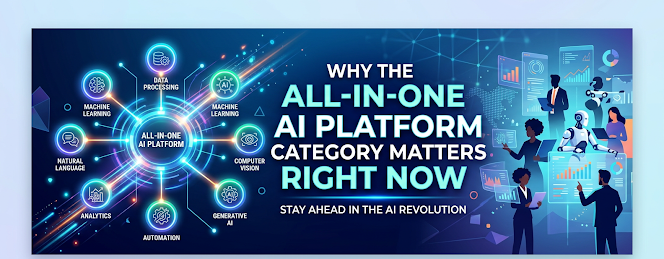
Why the All in One AI Platform Category Matters Right Now
The AI tool landscape has fractured in a way that creates a real practical problem for anyone who uses multiple AI capabilities in their work or creative life.
A year ago, most people used one or two AI tools. Now, a working creator, marketer, developer, or business owner might genuinely need: an AI chat assistant for research and writing, an image generation tool for visuals, a video tool for short-form content, a PDF tool for reading and summarizing documents, a music or audio tool for content, a code assistant for automation, and a voice tool for content creation. Subscribing to dedicated services for each of these costs $100–$200 per month minimum. Many individuals and small businesses simply can’t justify it so they either overpay or go without.
Galaxy’s $15/month consolidation directly solves this problem. For over 1.2 million users, it already has.
What Galaxy AI Actually Includes: The Core Categories
Multi-Model AI Chat
This is where most users spend the most time. Galaxy gives you chat access to GPT-4, Claude, Gemini, and other leading language models through one interface. You can switch between models in a conversation to compare how each handles a question. For anyone who wants to use multiple AI models without paying for each one separately, this alone justifies a significant portion of the subscription value.
You can use these models for writing, research, brainstorming, summarizing, analysis, coding, strategy, email drafting, content planning, and any other language task. The multi-model access is particularly useful because different models have genuine strengths and weaknesses GPT-4 tends to be strong on code; Claude tends to be strong on nuanced writing and long-form analysis; Gemini tends to have strong search integration. Being able to route tasks to the right model, in one place, is a meaningful productivity advantage.
AI Image Generation
Galaxy provides access to DALL-E 3, Stable Diffusion, and other image generation models. You can generate images, illustrations, logos, backgrounds, social media visuals, concept art, and more — from a text prompt, from an image reference, or from a combination of both. For marketers, creators, designers, and entrepreneurs who need visual content regularly but can’t justify a full Midjourney or Adobe Firefly subscription on top of everything else, this is a major value addition.
The image tools inside Galaxy are very capable for standard use cases: social media graphics, blog visuals, product mockup concepts, brand elements, and illustrative content. For the very highest-end artistic generation, dedicated tools still have an edge but for 90% of practical use cases, Galaxy’s image suite is more than sufficient.
AI Video and Audio
Galaxy includes tools for video generation, text-to-video, voice cloning, music generation, speech-to-text, and text-to-speech. For content creators, the ability to generate short-form video content, clone a voice for voiceovers, or generate background music all from the same platform you use for your writing and images is a genuine workflow simplification.
AI video is still maturing as a technology, and the outputs from the video tools inside Galaxy reflect that they’re impressive for certain applications but not yet at the level of fully polished production. For creating draft content, B-roll concepts, experimental shorts, or social video, they’re very usable.
AI Content Creation Tools
Beyond freeform chat, Galaxy has purpose-built tools for specific content tasks: blog post generators, social caption writers, ad copy generators, email writers, SEO content tools, product description writers, and more. These are pre-configured prompting systems designed to make common content tasks faster and more structured. For marketers and content teams who need volume, these tools accelerate output significantly.
AI Productivity and Automation
Galaxy includes tools for document summarization, PDF reading and analysis, data analysis, workflow automation, and research aggregation. The document tools in particular are underrated — being able to upload a PDF and immediately ask questions about it, pull specific information from it, or summarize it is a capability that saves significant time for anyone who regularly reads long documents, reports, or research papers.
AI Personalization
Galaxy lets you create and train custom AI agents — essentially specialized AI configurations tuned to your specific use case, tone, knowledge base, or workflow. This is particularly valuable for businesses that want an AI configured for their specific products, brand voice, or processes. It’s also useful for individuals who want a personalized AI that knows their context and style without needing to re-explain it every conversation.
Who Galaxy AI Is Actually For
Freelancers and Solopreneurs
This is the sweet spot for Galaxy. Freelancers writers, designers, marketers, developers, consultants — typically need AI capabilities across multiple domains but can’t justify $20+ per tool per month across a growing list of subscriptions. Galaxy gives them comprehensive access at a price point that makes the ROI calculation effortless.
Content Creators
Creators who need writing help, image generation, video tools, music, and voiceovers — all for a single subscription find Galaxy extremely compelling. The platform essentially gives you a full AI content production studio for $15/month.
Small Business Owners
Small businesses with marketing, content, customer communication, and operational needs can use Galaxy to cover a huge range of tasks that would otherwise require either multiple specialized subscriptions or hiring. The document and productivity tools add practical business utility beyond content creation.
Developers and Technical Users
Access to multiple top-tier LLMs for coding assistance, documentation, debugging, and prompt development all in one place is valuable for developers who move between tasks requiring different AI capabilities.
Students and Researchers
The research, summarization, and document analysis tools are particularly useful for students and researchers. Being able to process large volumes of information through AI efficiently, across multiple models, at a student-friendly price, is a genuine advantage.
The Honest Hurdles Nobody Warns You About
Hurdle #1: Credits and Usage Limits
Galaxy’s subscription is not unlimited. Access to premium models and advanced generation tools is governed by a credit system. Heavy users particularly those doing a lot of image generation, video generation, or running large language model tasks repeatedly will need to monitor their credit usage and potentially purchase additional credits. Understanding this before you sign up prevents disappointment. For the majority of everyday users, the base subscription is sufficient. For very high-volume creative production work, factor in the credit system when calculating your actual cost.
Hurdle #2: The “Jack of All Trades” Reality
Galaxy is very broad. It is not the deepest tool in any single category. If you are a professional illustrator whose entire business depends on getting the most sophisticated AI image outputs possible, you will probably still want a dedicated Midjourney subscription. If you are a developer who lives inside a single AI coding environment, a specialized tool like GitHub Copilot or Cursor may serve you better for that specific need. Galaxy is for people who need multiple capabilities, not specialists who need one capability at its absolute ceiling.
Hurdle #3: The Learning Curve of 3,000+ Tools
Having access to over 3,000 tools sounds amazing until you open the dashboard and aren’t sure where to start. New users often feel overwhelmed by the breadth of what’s available. The solution is to start narrow: pick two or three use cases you actually need, learn those tools first, and expand from there. Trying to understand the full platform at once is a recipe for confusion.
Hurdle #4: Tool Quality Is Uneven
When you aggregate thousands of tools, not all of them are equally polished or useful. Some of the more niche tools in Galaxy’s library are less refined than the core features. Focus on the well-established capabilities AI chat, image generation, document tools rather than assuming every single tool is at the same level.
Getting the Most Out of Galaxy AI
These are the habits and approaches that separate users who get genuine value from Galaxy from those who sign up, feel overwhelmed, and let it sit unused.
Start with the multi-model chat. Before you explore the other tools, spend the first week just using the AI chat features. Try GPT-4, Claude, and Gemini on the same question and see how they differ. Get comfortable switching between models. This builds the foundation for how you’ll use everything else.
Identify your top three use cases. Think about the AI tasks you do most frequently. Writing? Images? Research? Document analysis? Find those specific tools in Galaxy, learn them well, and use them repeatedly. Depth of use in the tools that matter to you creates real workflow integration.
Use it for things you’re currently paying for elsewhere. If you’re paying for a standalone AI writing tool, test whether Galaxy’s writing tools cover your needs. If you’re paying for a stock image subscription, see if Galaxy’s image generation handles your actual use cases. The consolidation saves money, but only if you actually replace your existing tools.
Explore the custom AI agent builder. Once you’re comfortable with the basics, the agent builder is one of the most powerful features for creating a personalized AI that works the way you do. Spending an hour setting this up returns ongoing value in every subsequent session.
Build workflows around the document tools. If you read a lot articles, reports, research, PDFs the document summarization and Q&A tools are massively time-saving once they become a habit. Stop reading long documents in full before understanding what’s actually relevant. Let AI pre-read and surface the key information first.
Pricing: What You’re Actually Getting
Galaxy’s pricing structure is built around the consolidation value. The base plan at $15/month gives access to the core features including multi-model chat, image generation, and productivity tools. For anyone currently paying for even one or two premium AI subscriptions, the comparison is immediate.
If you pay for ChatGPT Plus ($20/month) and Midjourney ($10–$30/month), you’re already paying $30–$50/month for two tools. Galaxy replaces both and adds dozens of others for $15/month. The math isn’t subtle.
A lifetime plan option is available for those who want to make a one-time investment rather than paying monthly this is worth looking at for long-term users who want to stop thinking about the subscription entirely.
For anyone whose workflow involves multiple AI tools, the link to explore Galaxy AI is here

I am Latif Saeed Okwan a digital entrepreneur from Accra, Ghana helping Africans build real online income through affiliate marketing, AI tools, and digital business. Every method on TheDiaHub.com has been personally researched with the African reality in mind -no hype.